
How Are ChatGPT and Claude Changing WordPress Website Development?
Summary
Many entry-level tasks are being automated by the growth of AI in digital marketing, making it more difficult for new hires with the best foundational knowledge of social media, Google Ads, and search engine marketing to stand out and secure employment. Because it integrates automation, statistical analysis, and marketing campaign management with the use of organisational tools like DV360 and CM360, programmatic advertising presents a significant possibility. Human judgement is still required for approach, setup, debugging, and optimisation in specialised roles in programmatic advertising, despite the fact that AI has automated a significant amount of regular work in virtual advertising. Learning programmatic marketing can help freshers stand out because fewer candidates are familiar with these complex technologies and operations. Gaining practical expertise with business enterprise models may be difficult for people without access to an organization.
Building a professional WordPress website has become a lot easier with AI tools like ChatGPT and Claude. However, a website built on a template and a website which is fully customised are two very different things.
Earlier, advanced WordPress customisation needed HTML, CSS and JavaScript, and even an experienced developer could spend several days on one customised page. At Digital Nest, we have built our homepage, our placements report and our Hire Us page from scratch using AI-generated code and Divi Code Modules.
In this article, I'll walk you through what that looks like, the right way to build custom WordPress pages with AI, and whether you still need WordPress when ChatGPT and Claude can write the code for you.
Why is a fully custom WordPress website hard to build?
Do you know that a basic WordPress site can be up within an afternoon? You install a theme like Astra, choose a template which comes with it and swap the dummy text for your own.
What changes when you want something custom?
But what if you want a website which is completely your own? Maybe it is a premium hero section, or animations that react when someone scrolls, or buttons that don't look like every other site's, or a layout which matches the idea in your head. That is exactly where WordPress development starts getting difficult, and for a beginner it gets difficult quite fast
How long did custom WordPress pages take before AI?
I have been working with WordPress for the past five years, and in my experience a fully customised page with 10 to 15 sections could take somewhere around four to five days.
How long did a single section take?
There were days when one interactive section, the kind with custom animations and scroll effects, would swallow four to five hours by itself. Divi didn't really rescue you from that either, because the moment you went past what its modules offered, you were back to typing out HTML, CSS and JavaScript yourself.
How long does it take with ChatGPT and Claude now?
You might not be aware, but this is the part that has changed the most. When the design requirements are clear, a first version of a custom page which used to take several days can sometimes be built in two to three hours with AI. Mind you, the code is one part of it, and fitting it into WordPress without breaking anything is the other.
How do we build WordPress pages with ChatGPT, Claude and Divi?
Plenty of people shy away from pasting custom code into WordPress because they're scared the whole site will fall over. That worry is fair, since badly structured code can clash with elements already on the page. However, at Digital Nest, our AI-assisted pages are built with Divi Code Modules and have been running on the live website for about eight months. What made the difference is a structured process, rather than generating random bits of code and dropping them in wherever.
Step 1: Why plan the whole page first?
Before we build a page, we decide what its overall structure is going to be. Our homepage has 12 sections, so we planned the hero section first and then worked our way down to the call to action which closes the page, thinking about how each section should appear on desktop and on mobile. When your design idea is clear from the start, the AI's code is a lot more accurate, and you end up doing far fewer revisions.
Step 2: Why build each section separately?
Say your page has 12 sections. We never put all twelve into a single Divi Code Module. The hero comes first. ChatGPT or Claude writes it, we test it in Divi, and section two only gets started once the hero is working, so if a bug turns up, we know it's in the bit we just added.
Step 3: How do you stop sections from clashing with each other?
Whenever a new section is due, the AI is told which class names are taken, what our design rules are and what the existing JavaScript is up to, and it is told to keep away from the WordPress and Divi styles.
Why bother? Because two sections that both lean on a generic class like .container or .button will start overriding each other's styling. Section-specific names fix that. Separate chats or even separate AI tools are fine too, as long as the coding standards don't drift.
Step 4: How does this make future edits easier?
Picture all 12 sections inside one huge code module, and a few months later you want to change a button in section seven. Now you have to copy a big chunk of code into ChatGPT for one small change, which burns tokens and risks touching a section you never meant to. Built separately, you copy only that section's code.
Step 5: How do you test and fix errors with AI?
Once a section is in Divi, we go over it properly, looking at the layout on different screens and clicking through the buttons, animations and interactions to see that each one works. When something misbehaves, we send ChatGPT or Claude the code for that section with a screenshot or the browser error and the live page link too if the tool can browse. You might not be aware, but a public link won't show the AI your WordPress settings or your code modules, which is why pasting in the real code gets you a much better diagnosis.
Which Digital Nest pages did we build with AI?
Here are three pages we have actually built with ChatGPT, Claude and Divi.
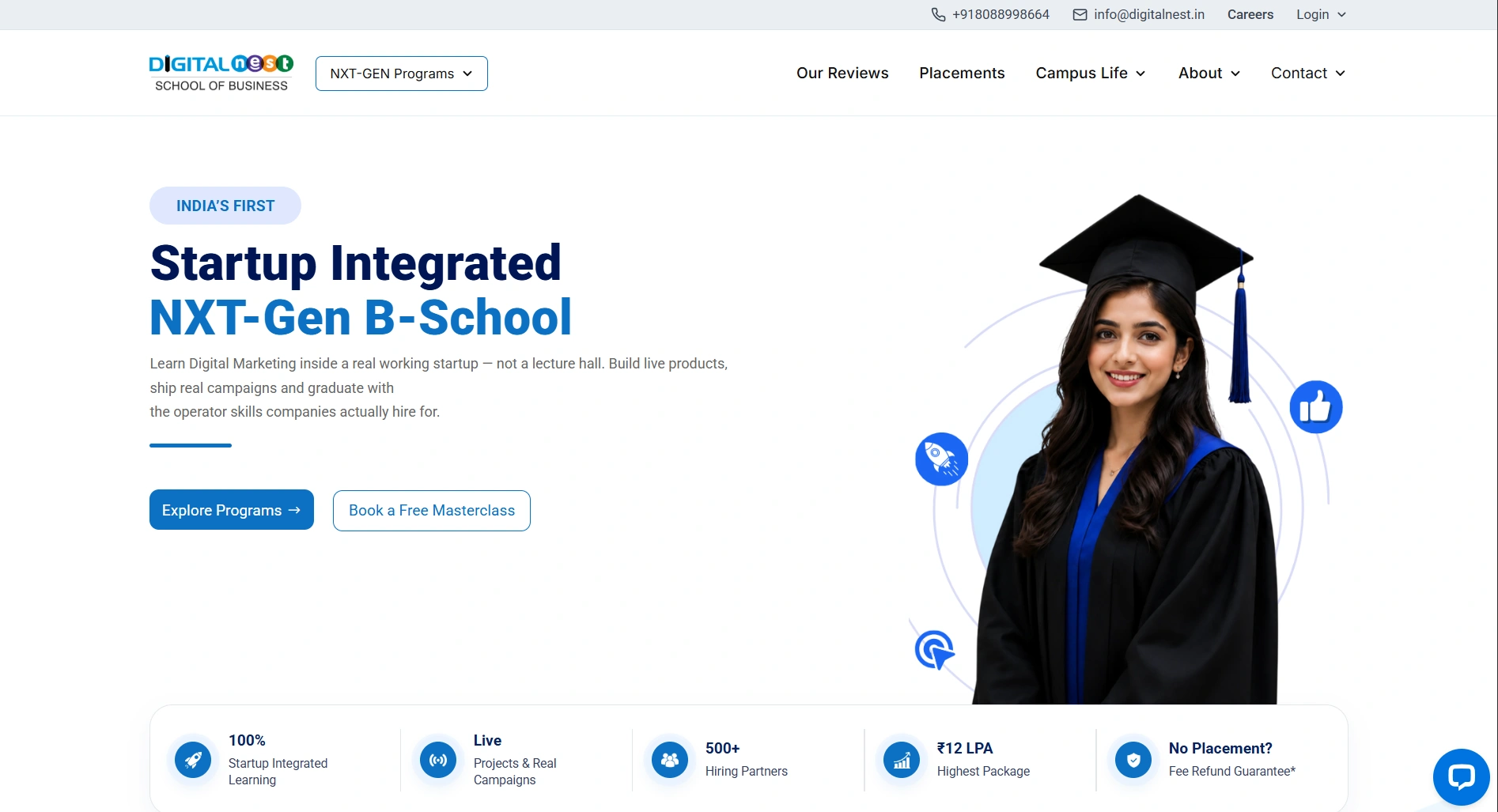
1. The Digital Nest homepage
Live page: https://www.digitalnest.in/
The homepage is made up of customised sections which cover our programs, what learning with us is like and the basics about the institute. We were after something premium that looked like us, and a stock WordPress template was never going to get there. ChatGPT was where we played around with visual ideas for each section, and after that Claude and ChatGPT both pitched in on the code.
2. The placements report
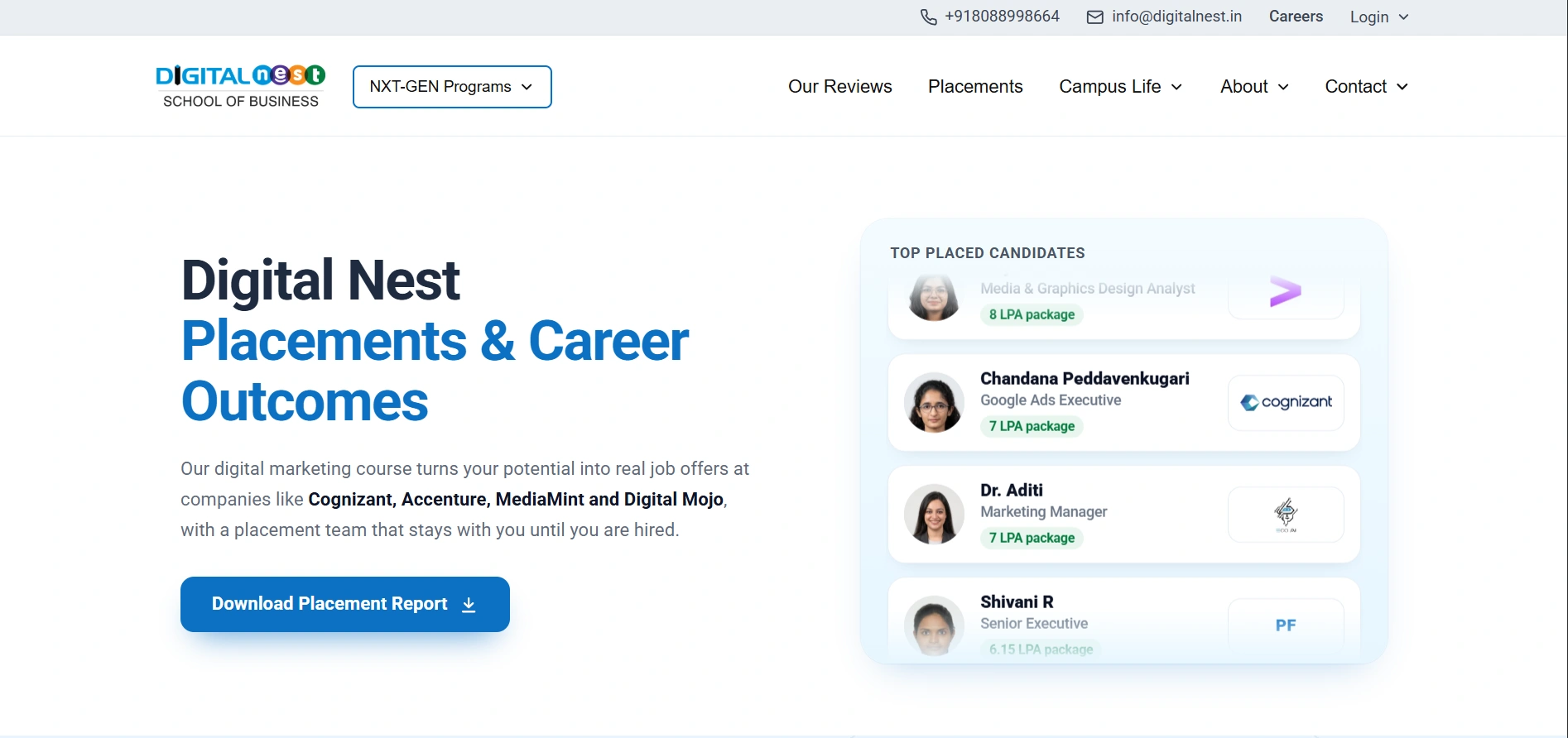
On the placements report you'll find student career outcomes, employer logos and the rest of our placement details. Since that's quite a mix, the design had to sort all of it neatly and still look like one consistent page. AI-generated code helped us build layouts which we can update one section at a time, without rebuilding the whole page.
3. The Hire Us page
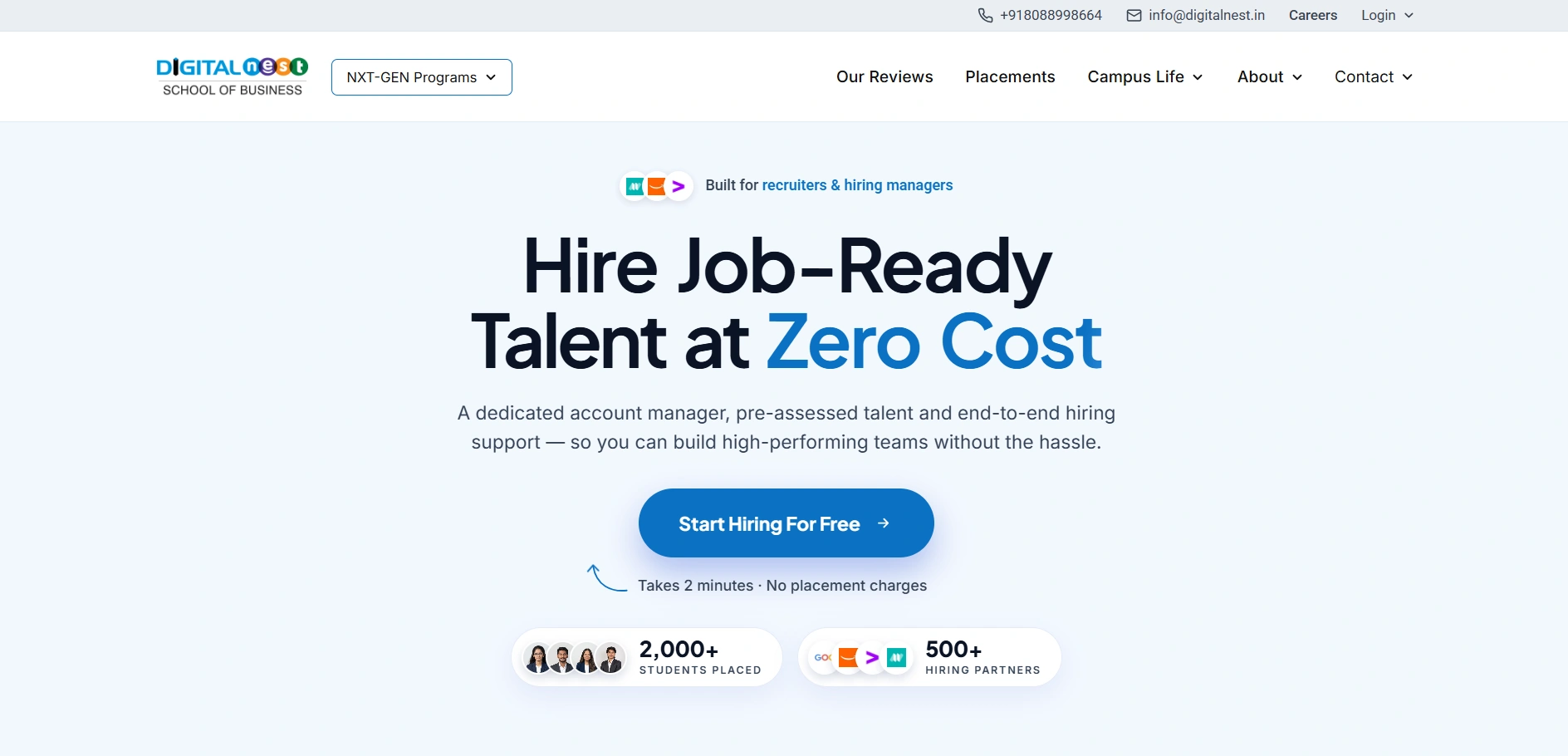
Live page: https://www.digitalnest.in/hire-us/
The Hire Us page is for recruiters and companies looking for trained digital marketing professionals. Since its audience and goal are different from the homepage, it needed a different structure. We used ChatGPT, Claude and Divi to build custom sections for it while keeping the branding in line with the rest of the website.
How much development time did AI save us?
A few years ago, a page with this level of customisation could have taken me around 15 days, depending on how complex the design was. With ChatGPT and Claude, we have finished similar AI-assisted work in roughly two days.
What does the workflow look like?
Here's roughly how a page goes from idea to live for us:
- We sketch out how it should look with ChatGPT.
- ChatGPT or Claude writes HTML, CSS and JavaScript.
- That code gets dropped into Divi Code Modules.
- Then comes the preview, where each section gets polished one by one.
- Anything that breaks along the way, we hand back to the AI to sort out.
The hours come back mainly because we type less code ourselves and can try out a design change in minutes. These are our own numbers, though, and your project could well take longer.
Should you build WordPress pages entirely with Code Modules?
No. Code modules are great for interactive sections and unique layouts, but plain layouts and content we still handle with Divi's normal tools. AI code comes in where the design is complex or unusual, and mixing the two keeps the site flexible without making it a pain to maintain.
Can beginners build custom WordPress websites using AI?
Yes, they can. Earlier you could forget about an advanced section if coding wasn't your thing, and today you can explain what you want in your own words, let the AI produce it and drop it into a Divi Code Module.
What problems should beginners expect?
Is the AI's code always perfect, though? It is not, and you may find a layout which breaks on mobile, styles which clash or an animation which never plays. This is why basic WordPress knowledge and testing still count for a lot, and while you don't have to be an expert developer, understanding your own website does make the end result better.
Do you still need WordPress when ChatGPT and Claude can build websites?
Honestly, you could skip WordPress and run a standalone site on AI-written HTML, CSS, JavaScript or some other framework. The thing to note here is that you then own the hosting and the deployment, the project files, the server setup, the integrations and the maintenance, which never really stops, and on certain projects you'd be in Visual Studio Code handling dependencies and app files too.
What does WordPress take off your plate?
WordPress takes most of that weight off you, since the content management system, the themes, the plugins and the page builders are already there. For us, WordPress runs the site and holds the content, and ChatGPT and Claude are what we use for the custom design work.
What are the best practices for AI-generated WordPress code?
These are the habits we've picked up from using ChatGPT and Claude alongside Divi:
- Build section by section, where every major custom section sits in a separate code module, since that is what makes editing it easier later on.
- Use unique CSS selectors, because a shared class name is how one section quietly wrecks another.
- Maintain coding consistency, where the AI gets your design guidelines and the code it needs with every new request.
- Avoid unnecessary scripts, where you don't load any JavaScript which the section isn't going to use.
- Test responsiveness, which for us means a section isn't finished until we've seen it on desktop, tablet and mobile.
- Back up your website, and try any big code change on a staging page first, never straight on the live one.
Why do design skills still matter in AI website development?
You might not be aware, but the AI can write code all day and still not know what your design is meant to look like, because that part lives in your head and not in the prompt.
Why does a vague prompt give a generic result?
If all you type is "make a beautiful homepage", what you get is usually generic. It is recommended that you describe the layout which you want and the colours, then the typography and spacing, then the animations and the style of buttons, and lastly how it all should look on a mobile, so that the code which comes back is something you can actually use.
Where does human judgement come in?
My previous experience with WordPress is what helps me evaluate the AI's output, spot design problems and decide what needs to be improved. AI saves us a great deal of manual coding; there is no doubt about that. However, planning a page, coming up with the creative side of it, deciding on the design and checking quality is still our job, not the AI's.
Do WordPress and AI work better together?
They do. After five years with WordPress, I have watched ChatGPT and Claude turn days of work on layouts and animations into hours, and we have used that on our own homepage, placements report and Hire Us page
Advanced coding is no longer a must for every customisation, but you'd still be stuck without WordPress basics, a clear design in mind, careful integration of the code and testing. A beginner gets a much easier way into customising a website, while an experienced developer just gets a lot more done in a day.
So WordPress is the base and Divi holds the code, while ChatGPT and Claude do the heavy lifting on the code itself. For me, faster code is not even the best part of it. The best part is that the site finally looks the way I pictured it, and I didn't lose days hand-coding each section to get there.